

Metrica Sports
Framer website for Metrica Sports, video analysis software for coaches and performance analysts.
We use essential storage to run this site. With your permission we would also like to use analytics cookies to see which pages help visitors, and marketing cookies to measure our ads. You can change your choice at any time with “Cookie settings” in the footer. Privacy Policy
Remembers your cookie choice and keeps the site secure. Always on.
Google Analytics 4 shows us which pages are useful. Google signals and ad personalization are off.
Measures the results of our advertising, such as Google Ads. Off unless you turn it on.
Research-led UX and polished UI that is ready to build, with a design system your developers and marketers can reuse.
Our UI/UX design service covers user research, information architecture, wireframes, high-fidelity UI design, interactive prototypes and design systems in Figma for websites, SaaS products and mobile apps, with developer-ready handoff.
Good design is how people use a product, not just how it looks. We start with the user journey and content, wireframe the structure, then design the UI on a component system so every page stays consistent.
Because the same team also builds, our designs are realistic to develop, responsive from the start and handed over with specs your developers can follow, whether that team is us or yours.
Last updated
Heuristic reviews, user flows and competitor analysis.
Low-fidelity layouts to agree structure and content.
High-fidelity desktop, tablet and mobile screens.
Tokens, components and variants in Figma.
Clickable prototypes for testing and stakeholder sign-off.
Specs, assets and annotations for a clean build.
Goals, users, content and competitor review.
Sitemap, user flows and wireframes.
Visual direction, then full UI on a component system.
Prototype, review rounds and dev-ready files.
Framer website for Metrica Sports, video analysis software for coaches and performance analysts.
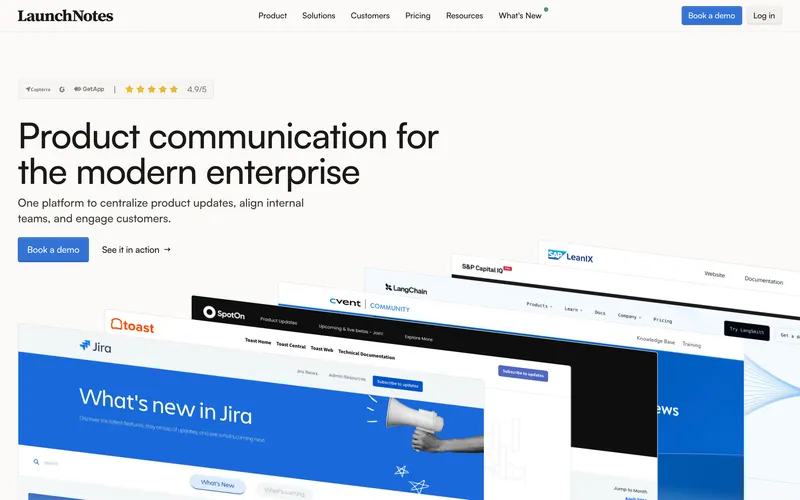
Webflow marketing website for LaunchNotes, a release-notes and product-communication platform for enterprise teams.
Ask us anything about your project. A founder replies personally.
Ask a questionIt depends on the number of screens or page templates, whether research and wireframes are included, the number of user flows, a design system, prototypes and the review rounds agreed. Designing a marketing site is a smaller job than designing a full SaaS product. We quote a fixed price after a call, with the scope written down.
Both. You can hire us for design only, and we hand over developer-ready Figma files with components, styles and specs. Or we design and build, which removes the hand-off gap because the people who designed it are the people who code it. Many clients start with design and continue into development.
The number of review rounds is set in the written scope, usually per stage: wireframes, key screens and the full set. In practice we agree the key pages first, then roll the approved style out to the rest, which keeps revisions focused and avoids redesigning everything late in the project.
Yes. We start with a UX audit of the current product: analytics, support tickets, usability issues and user feedback. Then we redesign the highest-impact flows first, such as onboarding, checkout or the main dashboard, so improvements reach users sooner instead of waiting for a complete redesign.
You get the Figma files with organized pages, components, variants, styles and tokens, an interactive prototype of the key flows, exported assets and handoff notes for developers. The files and all assets are yours to keep and edit, and we walk your team or developers through them.
In Figma, using comments directly on the screens, plus short review calls at each stage. We present designs with the reasoning behind them, collect your feedback in one place and confirm the changes in writing, so everyone knows what was decided and what comes next.
Strategy, Figma design and hand-built development for business websites that load fast, rank well and are easy for your team to update.
Learn moreLogos, brand systems and marketing graphics that make your company look as good as the work it does.
Learn moreWe scope the smallest product that proves your idea, design it in Figma and build it on a modern stack that can grow with you.
Learn moreTell us what you need. You get a clear plan, a fixed quote and a timeline before any work starts.
Prefer email? info@softitland.com