
EXPLO
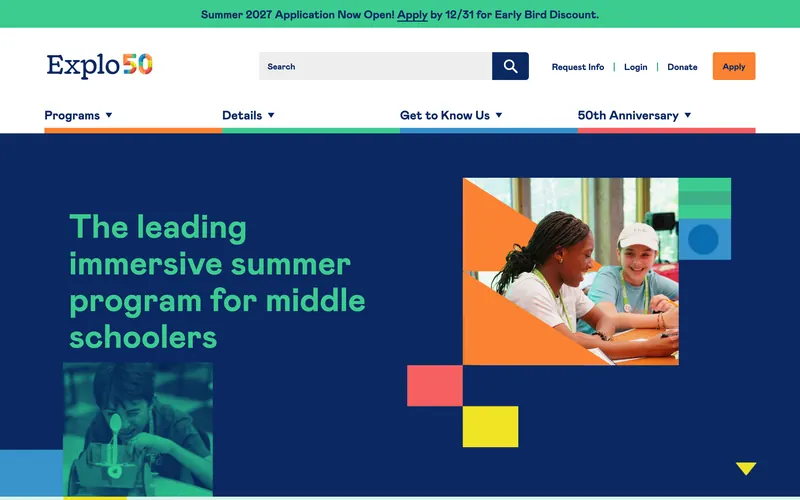
HubSpot CMS website for EXPLO, an immersive summer program for middle schoolers, with editable templates and modules.
We use essential storage to run this site. With your permission we would also like to use analytics cookies to see which pages help visitors, and marketing cookies to measure our ads. You can change your choice at any time with “Cookie settings” in the footer. Privacy Policy
Remembers your cookie choice and keeps the site secure. Always on.
Google Analytics 4 shows us which pages are useful. Google signals and ad personalization are off.
Measures the results of our advertising, such as Google Ads. Off unless you turn it on.
Custom HubSpot themes and drag-and-drop modules that keep your website, forms and CRM in one place.
Our HubSpot CMS service covers custom themes, editable drag-and-drop modules, landing page templates, forms, smart content and CRM workflow setup, so your marketing team can build pages and track leads inside HubSpot.
If your sales and marketing already run on HubSpot, hosting the website there keeps every form, page view and lead in one record. The website quality then depends on the theme and modules, and that is where we come in.
We build custom HubSpot themes with flexible modules your marketers can rearrange safely. EXPLO, an immersive summer program for students, runs on a HubSpot CMS site with editable templates and modules from our team.
Last updated
Brand-accurate themes with global styles and templates.
Reusable, editable modules with sensible fields and defaults.
Campaign templates connected to forms, lists and workflows.
Move from WordPress or another CMS into HubSpot with redirects.
Forms, lead routing, lifecycle stages and email automation.
Blog templates, resource hubs and smart content.
Review your portal, current theme and campaigns.
Figma design for templates and module library.
HubL theme, modules, templates and CRM connections.
Migration, redirects and a walkthrough for your team.
HubSpot CMS website for EXPLO, an immersive summer program for middle schoolers, with editable templates and modules.
Ask us anything about your project. A founder replies personally.
Ask a questionYes. Hosting website pages on HubSpot needs a Content Hub subscription (previously called CMS Hub). If you only use HubSpot’s CRM or Marketing Hub, we can keep your site on WordPress or Webflow and connect HubSpot forms, tracking and chat to it instead. We explain the cost difference before you decide.
The number of templates and custom modules, how flexible the drag-and-drop areas need to be, migrations from another platform, and CRM work such as forms, workflows and lead scoring. A theme with a well-planned module library costs more upfront but saves your team time on every new page. You get a fixed price in the written scope.
Yes, that is the point of a module library. Your team drags approved modules onto pages, edits the fields and publishes, while styles stay locked to your brand. We build landing page and blog templates too, and hand over with a recorded walkthrough so new team members can learn quickly.
Yes. We rebuild the design as a HubSpot theme, move pages, blog posts, authors and images, keep URLs where possible and set 301 redirects for the rest. We also reconnect forms to the CRM and check tracking, so leads keep flowing from the first day on HubSpot.
Yes. We set up forms, lifecycle stages, lead scoring, lead routing, deal pipelines, notifications and nurture emails, depending on which HubSpot hubs and tiers you have. Every workflow is documented so your team knows what it does and why, and we test it with sample contacts before switching it on.
You do. The theme and modules are built in your HubSpot portal and belong to you, and we hand over the source code in a Git repository if you want it. You get 14 days of support after launch, and we can continue with monthly updates, new modules and CRM improvements if you need them.
Connect your apps so leads, orders, invoices and reports move on their own, with error handling and documentation your team can follow.
Learn morePipelines, funnels, calendars and follow-up workflows in GoHighLevel, built so no lead is left waiting.
Learn moreStrategy, Figma design and hand-built development for business websites that load fast, rank well and are easy for your team to update.
Learn moreTell us what you need. You get a clear plan, a fixed quote and a timeline before any work starts.
Prefer email? info@softitland.com